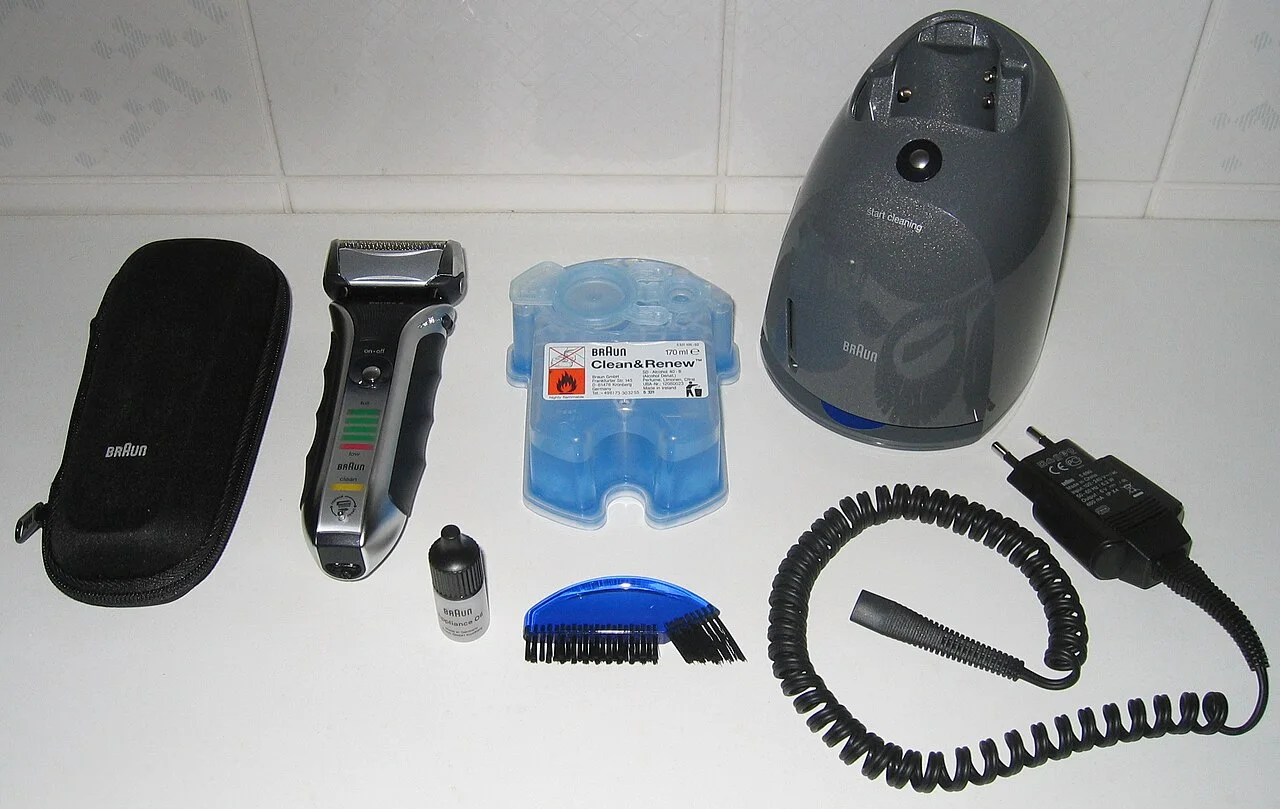


Identify a cleaning refill from the station’s label and the reference on the old cartridge or detergent pack.
The base has its own model and specified consumables, so retain those details alongside the shaver’s model number.
Find the station and consumable references
Disconnect the station and follow its handling instructions, particularly if it still contains liquid. Read the label on the base and copy the station model separately from the reference printed on the refill packaging.
A clear photograph of each label is useful when asking a retailer for help. Keep the old packaging until you have identified the replacement.
Match the refill format
Cleaning systems may use a sealed cartridge, a measured detergent product or another specified refill. Match both the format and the reference listed in the station’s instructions.
Use the specified product without substituting a household cleaner or mixing your own refill. A liquid sold for cleaning shavers is not necessarily suitable for the station you own.
| What you have | Compare before buying |
|---|---|
| A sealed cartridge | Station model, cartridge reference, shape and pack quantity. |
| Detergent for a refillable reservoir | The station’s specified detergent and dilution instructions; a cartridge is a different format. |
| A cleaning error or a stopped cycle | The exact warning and troubleshooting steps; an error alone does not identify the needed consumable. |
Braun CCR, Philips CC and JC, or Panasonic WES4L03?
These are different cleaning systems. Read the station label first, then keep the complete refill code and regional pack suffix when comparing an offer. A shaver series name alone does not select a cartridge.
| Station or system | Reference to check | What matters before buying |
|---|---|---|
| Braun Clean&Charge / SmartCare | CCR / Clean & Renew | Braun excludes cleaning-center types 5301 and 5302. Check the type on the station, not just the shaver. |
| Philips Quick Clean Pod | CC family; US example CC12/52 | The US CC12/52 page identifies a Quick Clean Pod cartridge. Keep its full pack suffix; do not select a JC cartridge for this pod. |
| Philips SmartClean | JC family; US example JC302/52 | Philips lists JC302/52 for SmartClean. Quick Clean Pod cartridges belong to a different system. |
| Panasonic Clean & Charge | WES4L03 detergent | The US page names ES-LS9A-K, ES-LV97-K, ES-LV9N-S, ES-LV95-S and ES-LT7N-S systems. Check the station manual if your model is absent. |
When the cleaning cycle stops
Record the warning light or error message and the point at which the cycle stops, then follow the station’s troubleshooting instructions. Panasonic’s cleaning-charger troubleshooting page is included in the sources below for the models it covers.
If support recommends a replacement consumable or base, obtain its reference before ordering and keep it with your station details.
Check replacement references
| Reference guide | What to check |
|---|---|
| Braun parts and cleaning refills | Browse the brand’s part families and check the refill reference for your station. |
| Philips parts and cleaning refills | Browse the brand’s part families and check the refill reference for your station. |
| Braun CCR and station exclusions | Check the documented system, full reference and source limits before selecting a refill. |
| Philips CC versus JC refill guide | Check the documented system, full reference and source limits before selecting a refill. |
| Panasonic WES4L03 detergent guide | Check the documented system, full reference and source limits before selecting a refill. |