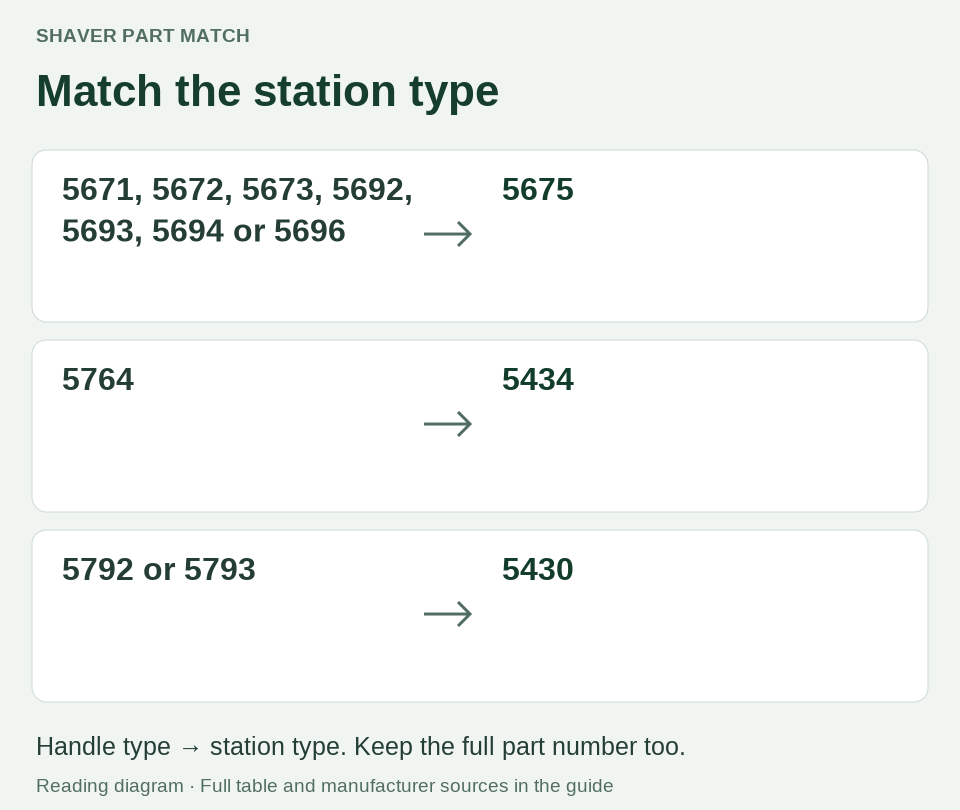
A Braun Series 7 cleaning station must match the type on the shaver. Braun lists Clean & Renew station type 5675 for the earlier Series 7 handles below and SmartCare Center type 5434 for Series 7 360° Flex type 5764. The listed Series 9 types 5792 and 5793 use station type 5430.
If your existing station has a cleaning issue, identify the base before ordering a replacement. A refill cartridge, charging stand and shaving cassette solve different problems. Replacing the complete station is unnecessary when the part you need is only the fluid refill or a charging accessory.
Braun Series 7 cleaning station: match the type number
Read the four-digit type on the handle and, if you have the old base, the type underneath it. Use the handle column to find Braun’s station family. The station type identifies the design, while a packaged spare may have a longer part number; keep both when ordering. A number on a refill pack identifies the cleaning fluid.
| Type on the shaver | Type on the station | Which family Braun lists |
|---|---|---|
| 5671, 5672, 5673, 5692, 5693, 5694 or 5696 | 5675 | Earlier Series 7 Clean & Renew, including Pulsonic and Prosonic. |
| 5764 | 5434 | Series 7 360° Flex. Braun also lists shaver type 5762 for this SmartCare Center. |
| 5792 or 5793 | 5430 | Series 9. The same service page separately lists Series 5 type 5769 and Series 8 types 5794 and 5795. |
Braun accessories and spare parts: stand, refill or base
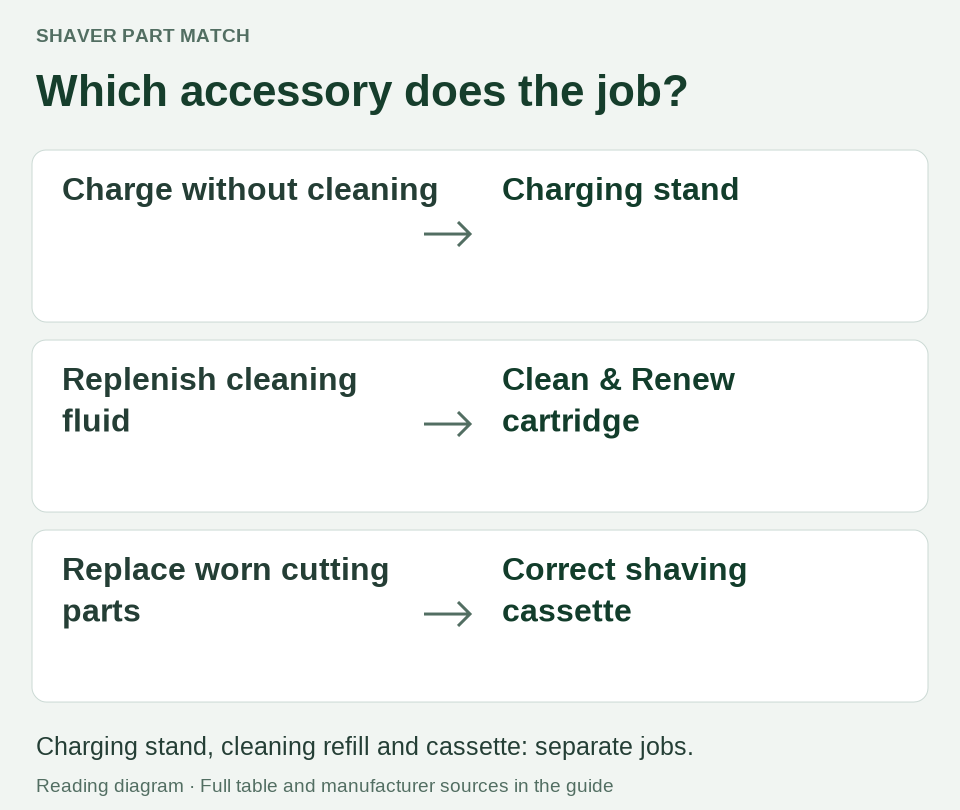
For a Series 7 type 5764 that only needs a place to charge, Braun lists stand 81740721. It holds the shaver upright and has no cleaning cartridge. For a working cleaning station that has run out of fluid, read the refill guide before replacing the base.
If you started with a shaver sold on its own, check the service entry for your exact model before buying a station as an upgrade. A station-family match alone does not establish which accessories came with your shaver.
| What you need | Accessory to identify |
|---|---|
| Charge without cleaning | Charging stand |
| Replenish cleaning fluid | Clean & Renew cartridge |
| Replace worn cutting parts | Correct shaving cassette |
Start a Clean & Renew cleaning cycle
Braun describes the basic SmartCare routine as inserting the cartridge, inserting the shaver and starting cleaning. Use the cleaning button identified in your station instructions. The button layout and available programs depend on the base, so use its type number to find the correct manuals.
Read the setup instructions before the first cleaning cycle, including how the refill is opened and installed. It contains the cleaning fluid; the shaving cassette is the cutting assembly on the handle. Buying one does not replace the other. Check the pack contents rather than judging a product by its photograph.
Diagnose a cleaning issue before replacing the product
Start troubleshooting with the exact symptom: does the shaver fail to charge, does cleaning fail to start, or is the cutting head still dirty afterward? Note what happens when you press the cleaning button and which indicators appear. These observations help Braun diagnose the fault without guessing which spare parts have failed.
Use the station setup instructions to check the power connection, handle placement and cartridge installation. Check the specified power supply as well as the base: Braun lists a separate Smart Plug and charging stand for Series 7 type 5764. A charging failure alone does not identify the station as the faulty component.
If those external checks do not resolve the issue, use Braun’s product troubleshooting and repair service. Give the customer support assistant the handle type, station type, symptoms and purchase details. Before paying a small appliance technician to open the base, check Braun’s authorized service options and warranty terms. A small appliance repair should follow the correct service route, especially if the fault involves power or the battery.
What is the best way to sanitize an electric razor?
For routine hygiene, Braun recommends its compatible SmartCare Center to clean, lubricate and charge the shaver. Follow the instructions for the specific Braun device and cleaning fluid. Braun describes hygienic cleaning; that is not a promise of sterilization. Do not substitute a household disinfectant or refill a sealed cartridge with a homemade mixture.
For manual cleaning, follow the electric shaver instructions for rinsing, drying and lubrication. Braun’s care guide describes rinsing suitable electric shavers and using a brush on the cutter block, while warning against brushing the delicate foil. Our foil-shaver cleaning guide explains that distinction. The electrical base has its own care instructions; the handle’s rinseability does not establish that the station can be rinsed.
How long does the Braun shaver cleaning station last?
The linked Braun guidance does not specify a fixed replacement interval for the complete station. Do not confuse its service life with the consumable refill: Braun’s help center suggests changing Clean & Renew refills every two months when cleaning twice weekly, a total of 16 cycles. Use the station instructions and refill indication for your actual routine; a depleted refill is not evidence that the base has worn out.
What is the cleaning cartridge for the Braun S9 Pro?
Braun’s service entry covering Series 9, Series 9 Pro and Pro+ lists the Clean & Renew cartridge and excludes cleaning-center types 5301 and 5302 from its stated coverage. Identify your station separately from the S9 Pro handle name. A shared cleaning-fluid refill does not make two complete station generations interchangeable. Compare the number of refills separately from the base and shaving-head references.
How do I change the battery in my Braun shaver?
Braun recommends battery replacement at an authorized service center by a qualified technician. If the shaver will not charge, follow its diagnostic instructions before buying a battery or replacement station. Keep the handle model, original charger details and receipt available for the service request. Battery replacement is a repair of the handle, not a fluid-refill change or a reason to assume that another base will fit.
Check replacement references
| Reference guide | What to check |
|---|---|
| Braun cleaning cartridges | Identify the refill if the base still cleans and charges. |
| Find the Braun handle type | Compare the marking on the shaver before choosing parts. |
| Braun 81740721 stand | Check the listed Series 7 handles for the Type 5762/5764 stand. |
| Braun 80729803 stand | Check the four documented Series 9 handles for this black stand. |
Find the cleaning base for your handle
Use Braun’s station-type entries to compare the markings on the shaver and base.
- Braun Clean & Renew station type 5675Checked
- Braun SmartCare Center type 5434Checked
- Braun Clean & Charge station type 5430Checked
- Braun Series 7 type 5764 partsChecked
- Braun SmartCare cartridge and cleaning-cycle guidanceChecked
- Braun electric-shaver cleaning and careChecked
- Braun help center: manuals, refills and battery repairsChecked
- Braun Series 9, Pro and Pro+ type 5793 service informationChecked
- Braun Clean & Renew refill-cartridge instructionsChecked